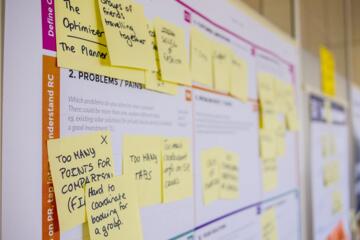
Notes, Tasks, Reference Data
Knowledge capture means recording information so you can retrieve it later for decisions, conversations, and follow-through. In health contexts, the difference between a note, a task, and reference data affects accuracy, timing, and what you show a clinician. A symptom log that never turns into follow-up actions can stall care. A task list that lacks context can lead to vague updates. Reference data that stays unreviewed can drift from reality.
Notes are for capturing thoughts, observations, and interpretations while they are fresh. Tasks are for time-bound actions with a clear next step. Reference data is for stable facts you expect to reuse, like a medication list format, lab ranges, or a diagnosis summary template. The categories overlap in content, but they behave differently in your workflow.
For example, “Woke up with throat tightness at 7:10” belongs in notes. “Call clinic to ask about inhaler technique” belongs in tasks. “Current medication dosing instructions as written on the label” belongs in reference data. If you store all three in one place, you often lose the ability to sort by urgency and reliability.
Where People Get Stuck
Many people start with notes because they feel fast, then discover that retrieval fails when the note is buried under unrelated thoughts. A note that reads like a diary entry rarely tells you what you planned to do next. When you later search for “follow-up,” you find dates but not actions, and the gap becomes a missed opportunity.
Another failure mode comes from mixing reference data with personal interpretation. “My blood pressure seems high” is a note. “Home cuff readings: 120/80 target range per my clinician” is reference data. If you store interpretation inside reference data, you risk repeating a belief that no longer matches your current plan.
Tasks also fail when they lack a trigger and a definition of done. “Review MRI results” is ambiguous. “Open the MRI report PDF, highlight the impression section, and write 3 questions for the follow-up visit” is actionable. The dependency is simple: tasks need a next step you can start within minutes, and notes need a reason to exist beyond memory.
Supporting technologies shape the outcome. Search quality matters because notes are often retrieved by keywords and dates. Calendar reminders matter because tasks depend on time. Versioning matters because reference data changes when prescriptions, lab targets, or clinician instructions change. Even a basic system like Apple Notes plus Reminders works, but the boundaries still need to be explicit.
How To Separate Them
Design Clear Boundaries
Write down three rules for your own system. First, every entry must answer “Is this an observation, an action, or a fact?” Second, tasks must include a next step and a completion check. Third, reference data must be copyable without your current mood or interpretation.
In practice, you can use a template. Notes template: date, time, trigger, what you felt, what you did, and what changed. Tasks template: due date or trigger, next action, and what “done” means. Reference template: source (label, clinician message, lab report), date recorded, and a field for “last verified.” I’ve seen people do this in Notion with a simple database schema, and it works best when the fields are mandatory. Version 2.0 of a template you revise on 2026-01-15 is still better than a blank page.
Use Tools With Matching Strengths
Notes work well in apps with fast capture and good search. Tasks work well in apps with reminders, recurring schedules, and checklists. Reference data works well in structured formats like a dedicated page, a spreadsheet, or a form-like note with consistent headings.
Pick tools that match the category behavior. If your task app supports recurring reminders, use it for follow-ups like “weekly symptom check for 4 weeks.” If your note app supports tags, tag notes by condition or clinician. If your reference store is a document, add a “last verified” date so you can audit it. A small aside: many people rely on browser bookmarks for reference data, then forget that bookmarks do not update when a clinician changes instructions.
Realistic outcomes depend on discipline. A common target is converting 1–3 notes per day into either a task or a reference update, not letting notes accumulate without review. If you review once weekly for 10 minutes, you can usually catch overdue tasks and outdated reference fields, though the exact number varies with how many conditions you track.
Turn Notes Into Actions
Use a short review loop. When you add a note, add a “so what” line that points to either a task or a reference update. If the note describes a change that needs follow-up, create a task immediately. If it reveals a stable fact, update reference data and mark it as verified.
Example: “New rash after starting medication X” becomes a task: “Contact prescriber today; ask whether to stop medication X and what warning signs require urgent care.” It also becomes reference data only if you confirm the medication start date and dose from a reliable source. If you cannot confirm, keep it as a note and wait for verification.
For timing, a practical rule is to create tasks within the same day for urgent symptoms and within 24–48 hours for non-urgent follow-ups. That rule is not medical advice; it’s a workflow guardrail to prevent “later” from turning into weeks.
Audit Reference Data Regularly
Reference data needs periodic verification because health plans change. Schedule an audit after major events: medication changes, new lab results, or clinician plan updates. Keep reference fields narrow so you can update them without rewriting everything.
Track sources. For medication reference data, use the label or the pharmacy record, not a memory. For lab reference data, store the lab’s own units and reference ranges from the report. For diagnosis summaries, store the clinician’s wording or your discharge summary fields, not your interpretation.
A mild frustration many people experience: reference pages grow long and then become unreadable. If your reference sheet exceeds one screen, split it into “current plan,” “medications,” and “recent tests,” and keep each section short enough to scan during a visit.
Case Examples For Learning
Example 1: Symptom Log With Follow-Up
An anonymized person tracks shortness of breath during exercise. They record notes with date, activity, and what helped. During a weekly review, they notice a pattern and create a task: “Ask clinician whether to adjust inhaler technique; bring note entries from weeks 3–4.” They also update reference data with the inhaler name and dosing schedule copied from the prescription bottle, marked “verified on 2026-03-02.” The next visit update becomes specific because the task forced them to extract questions from notes.
Example 2: Lab Results Without Drift
An anonymized person receives lab results with multiple values and reference ranges. They store the report values and units as reference data, including the lab’s stated ranges. They write notes for interpretation attempts, like “I feel tired; could be related,” but those remain notes. When the clinician changes a target range, they update only the reference field “current target,” leaving the original lab report values intact as historical reference. This separation prevents the “target” from overwriting the “measured value.”
Checklist And Tradeoffs
| Category | Best For | Common Failure | Quick Test |
|---|---|---|---|
| Notes | Observations, questions, context | No next step, hard to retrieve | Can you point to a task or reference update from it? |
| Tasks | Actions with triggers and done criteria | Vague “review” items | Could someone else start it in 5 minutes? |
| Reference Data | Stable facts you reuse | Outdated targets or mixed interpretation | Does it include a source and a last-verified date? |
Step-by-step checklist for a weekly review: (1) scan notes from the last 7 days for “changes,” (2) convert any change that needs follow-up into tasks, (3) update reference fields only when you can cite a source, (4) delete or archive notes that no longer matter, and (5) confirm no tasks are waiting on missing information you can gather.
Common Mistakes To Avoid
One mistake is storing medication changes as notes only, then forgetting to update reference data. During a clinician visit, you end up reading a timeline instead of showing a clean medication list. Another mistake is copying lab values into notes without units and reference ranges, which makes later comparison unreliable.
People also over-trust their own reference data. If you record a “target” range from a conversation but never verify it against a written plan, you can end up repeating the wrong numbers. Reference data needs a source and a verification date, even if the source is a patient portal message.
Another practical issue is privacy and sharing. Health information is sensitive, and many note apps sync across devices. If you share reference data with family or caregivers, use the minimum fields needed and avoid including unrelated notes. In the US, HIPAA applies to covered entities and business associates, not to every personal note app user, but the risk still exists because data breaches and mis-sharing can happen regardless of legal category.
Finally, avoid turning tasks into a dumping ground for uncertainty. “Figure out what this means” is not a task definition of done. Break it into a question you can ask, a document you can open, or a call you can place.
FAQ
Should Symptom Logs Be Notes Or Tasks?
Symptom logs belong in notes because they capture observations over time. Create tasks only when a log entry triggers an action, like contacting a clinician, scheduling a test, or preparing questions for a follow-up.
What Counts As Reference Data In Health Tracking?
Reference data includes stable facts you reuse, such as medication names and dosing from the label, clinician plan targets with a source, and lab values with units and reference ranges from the report.
How Often Should Reference Data Be Updated?
Update it when a clinician plan changes, when you receive new lab results that affect targets, or after medication changes. A weekly audit can catch drift, but the right cadence depends on how frequently your plan changes.
How Do I Prevent Notes From Becoming Unusable?
Use consistent tags or headings, add a “next step” line when a note implies action, and archive notes after the review window. Search works better when entries share a predictable structure.
Can One App Handle All Three Categories?
Yes, but you need separate templates or sections for notes, tasks, and reference data. The key is enforcing boundaries so tasks have due dates and done criteria, while reference data has sources and verification dates.
Author's Insight
Knowledge capture works best when categories have different retrieval paths: notes are searched by context, tasks are triggered by time or events, and reference data is reused as a factual snapshot. Evidence from information management and human factors consistently points to the same failure pattern: mixed-purpose records degrade later decision-making. A practical system treats reference data like a small database with fields and dates, not like a place to store feelings. Notes then become raw material for turning into tasks and verified facts during scheduled reviews.
Key Takeaways
- Store observations as notes, actions as tasks, and stable facts as reference data.
- Tasks need a next step and a definition of done; notes need structure for retrieval; reference data needs sources and a last-verified date.
- Convert notes into tasks during a short weekly review loop, and update reference data only when you can verify it.
- Keep reference data short enough to scan during appointments, and treat privacy as part of the workflow.