Set Up Your Business
A solo founder’s AI stack is a set of tools that turns raw inputs—emails, notes, documents, transcripts, and tickets—into outputs you can ship: drafts, summaries, knowledge-base answers, and structured data. The stack matters because each AI workflow has different failure modes, data requirements, and cost patterns.
For example, a founder might use an AI assistant to draft customer replies from a ticket, then use a separate tool to check policy language, then log the final response in a CRM. If you skip the logging step, you lose traceability when a customer asks why a claim was made. If you skip the policy check, you risk inconsistent wording across channels.
Another common pattern is “research to decision.” You collect sources, extract key points, and convert them into a brief for product or marketing. The AI helps with extraction and drafting, but you still need a human review pass for accuracy, especially when sources conflict or when the topic involves regulated claims.
One practical constraint: most solo founders run on limited time and limited budgets, so the stack should reduce context switching. You save time, reduce noise, and the inbox stops winning—then you measure whether the time saved actually shows up in fewer revisions and faster turnaround.
Main Problems Or Pain Points
People often treat “AI tools” as a single product, then discover that each workflow needs its own guardrails. A chat interface that feels helpful for brainstorming can behave differently when you feed it customer data, internal strategy notes, or long documents. The difference comes from prompt length limits, retrieval quality, and how the tool handles training or retention policies.
Another frequent mistake is building a stack around one model and one interface. When that interface changes, you lose continuity. When the model’s output style drifts, your team’s templates stop matching. When the tool’s rate limits hit, your automation stalls mid-week, which is when founders feel the pain most.
Supporting technologies sit underneath the “AI” label. Retrieval-augmented generation (RAG) depends on document chunking, embeddings, and a search index. Ticket automation depends on webhooks, message routing, and a consistent ticket schema. Email drafting depends on templates, signature rules, and spam-safe formatting. If any one dependency is weak, the AI output looks confident while the underlying retrieval is wrong.
Data handling is the other big dependency. Many tools offer options for whether prompts are used for training, but the exact behavior varies by vendor and plan. You need to read the data processing terms and test with a small set of non-sensitive documents first, because “default settings” rarely match your risk tolerance.
Solutions And Advice
Design Four Workflows First
Start by mapping your solo founder tasks into four repeatable workflows: (1) writing and editing (emails, landing pages, proposals), (2) research and summarization (market notes, competitor pages, meeting transcripts), (3) customer support drafting (tickets, FAQs, refunds), and (4) internal knowledge (policies, product docs, onboarding). Each workflow needs different inputs, different output formats, and different review rules.
For writing, use a template-driven approach: a short “goal,” a “tone,” and a “must-not-say” list. For research, store sources and require citations in your internal brief. For support, constrain outputs to your policy text and require a “confidence + missing info” section when the ticket lacks details. For internal knowledge, use a retrieval index built from your own documents, not from ad-hoc chat history.
A small aside from tool practice: when I tested a retrieval setup with a 2024-era embedding model, chunk size around a few hundred tokens produced fewer “half-remembered” answers than larger chunks, but the best value depended on document structure and headings.
Use A RAG Layer For Accuracy
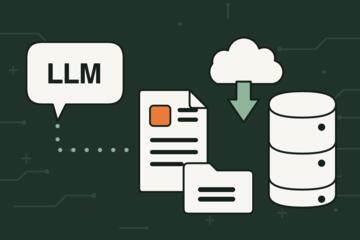
RAG improves factual grounding by retrieving relevant passages from your documents before generating an answer. The stack usually includes a document store, an embedding model, a vector index, and a retrieval step that feeds the model only the most relevant excerpts. This reduces hallucinations, but it does not remove them; retrieval can still miss the right passage.
Build your knowledge base from stable sources: product documentation, pricing pages, refund policy text, and onboarding guides. Exclude ephemeral notes that change weekly unless you version them. Add metadata like “effective date” for policies so the system can prefer the current version.
Measure retrieval quality with a small evaluation set: 20–50 questions you can answer from your documents. Track whether the retrieved passages contain the needed facts. If the passages are missing, the model cannot fix it with reasoning alone, and you end up blaming the AI for a retrieval problem.
Automate Support With Guardrails
For customer support, the stack should generate drafts, not final decisions. Use a ticketing system integration that passes structured fields (customer plan, order status, issue category) into the prompt. Add a policy block that the model must follow, and add a “required questions” section when the ticket lacks key details.
Realistic outcomes depend on your baseline. If a founder currently writes replies in 10–20 minutes each, a well-tuned drafting workflow can cut the first draft time to 3–8 minutes, with a review pass still taking 2–5 minutes. The gain comes from faster phrasing and consistent policy language, not from eliminating review.
One mild frustration to plan for: many ticket systems format fields differently across channels, so you may need a mapping layer to normalize “order_id,” “plan_name,” and “issue_type” before the AI sees them.
Case Examples
Solo SaaS With Policy-Driven Support
A solo founder runs a small SaaS product with a refund policy and a help center. They build a RAG index from the help center articles and the refund policy PDF, then connect it to a support ticket workflow. The AI drafts replies that quote the relevant policy section and includes a checklist of missing details (order date, subscription tier, and whether the request is within the refund window). The founder reviews each draft and sends the final response.
After two weeks, the founder notices fewer “wrong policy” replies because the drafts pull from the same policy text every time. The time saved shows up as faster first responses, but the founder still spends time on edge cases where the ticket includes unusual billing situations.
Health-Adjacent Content With Source Logging
A solo founder writes educational content for a health-adjacent audience. They use an AI assistant to summarize research articles and generate outlines, but they require a source log: every claim in the draft must link to a specific passage from the collected sources. The stack stores the source list in a document that the AI reads during drafting, then the founder verifies each claim before publishing.
The main improvement is consistency in how claims are attributed. The founder also learns that the AI can summarize well while still misinterpreting study limitations, so the review checklist includes study design and population notes, not just the headline result.
Comparison Table Or Checklist
| Stack Component | What It Does | Where It Fails | Decision Check |
|---|---|---|---|
| Drafting Assistant | Generates email and doc drafts from templates | Tone drift and missing constraints | Can you force a “must-not-say” list and review steps? |
| RAG Knowledge Base | Retrieves your docs before answering | Retrieval misses the right passage | Do you have 20–50 test questions with expected answers? |
| Support Automation | Creates ticket replies from structured fields | Schema mismatches and wrong routing | Can you log inputs and require missing-info questions? |
| Cost Controls | Limits tokens, routes tasks, caps spend | Budget alerts missing daily spikes | Do you track spend by workflow, not just total? |
Step-by-step checklist for a solo founder pilot:
- Pick one workflow to pilot (support drafting or content outlining) and define “done” as a measurable outcome like first-draft time.
- Create a small evaluation set: 20–50 real examples from your own work, anonymized and stripped of sensitive identifiers.
- Turn on logging for inputs, retrieved passages, and final outputs so you can audit errors later.
- Add a review rule: the AI drafts, the founder decides, and policy claims must come from your stored text.
- Set daily token and spend limits before connecting to production systems.
- Run the pilot for 7–14 days, then adjust chunking, templates, and routing based on observed failure types.
Common Mistakes
One mistake is feeding the AI raw customer data without checking retention and training settings. Even if a tool claims it does not train on your data, you still need to understand how long prompts and outputs are stored and who can access them. For regulated or sensitive domains, you should minimize what you send and redact identifiers.
Another mistake is treating citations as a substitute for verification. A model can produce plausible citations or paraphrase a source incorrectly. A safer pattern is to store the source text you used and require the founder to verify key claims against that stored excerpt.
Founders also over-trust “confidence.” Many AI tools do not provide calibrated confidence scores, so a high-sounding answer can still be wrong. Your review checklist should focus on the specific risk: policy compliance for support, factual accuracy for research, and scope boundaries for medical-adjacent content.
Finally, stacks fail when they become unmaintainable. If you use five separate tools with no shared logging, you cannot trace an error. If you rely on one integration that breaks silently, you lose automation and waste time debugging. A small, consistent workflow design beats a large collection of disconnected features.
FAQ
What data should a solo founder avoid sending to AI?
Avoid sending full customer identifiers, payment details, and sensitive health information unless the vendor’s terms and your internal controls explicitly cover that use. Redact names, order numbers, and any unique identifiers; send only the fields needed for the task.
How does a RAG setup reduce hallucinations?
RAG retrieves relevant passages from your documents and feeds them to the model, so the answer is grounded in your stored text. It reduces unsupported claims, but it cannot fix missing or outdated documents, so you still need a document versioning and review step.
What metrics show whether the stack is working?
Track first-draft time, review time, and error categories (policy mismatch, missing info, wrong entity). For research workflows, track citation coverage and whether retrieved passages contain the needed facts.
How should a founder handle policy and compliance in AI replies?
Store the policy text in your knowledge base, require the AI to quote or reference the relevant section, and block outputs that fall outside the policy scope. Keep a manual approval step for any decision that affects refunds, eligibility, or legal commitments.
How can costs be controlled without breaking quality?
Route tasks by complexity, cap tokens per request, and cache repeated outputs like FAQ matches and meeting summaries. Add daily spend alerts and run a short evaluation set after each prompt or retrieval change.
Author's Insight
A practical AI stack for solo founders behaves like a small production system: inputs are structured, outputs are reviewed, and logs support audits. The most reliable gains come from grounding (RAG), constraints (templates and policy text), and measurement (time saved plus error categories), not from larger prompts.
Because vendors differ in data retention and training policies, the safest approach starts with a pilot using non-sensitive documents and a clear redaction plan. When you test retrieval quality with a fixed question set, you can tune chunking and metadata without guessing.
I do not have personal clinical experience, but for health-adjacent content the same principle applies: verify claims against stored sources and separate drafting from factual review, especially for study limitations and eligibility criteria.
Key Takeaways
- Build the stack around workflows (writing, research, support, knowledge), not around a single chat tool.
- Use RAG with versioned documents and test retrieval quality on a small evaluation set.
- Draft support replies with policy grounding and a required review step for decisions.
- Control costs with routing, token caps, caching, and daily spend alerts tied to workflows.
- Log inputs and retrieved passages so you can audit errors and improve prompts without guesswork.